9:00 AM – 9:30 AMWhat were you working on?
Focused workMeetingsPlanningAdmin
Answer in a moment
A gentle prompt appears on your Mac or iPhone. Choose a category and get back to work.
Clarity for the work that matters
See where your work time goes and make room for what matters most. Start with your own workday, or help your team understand how its time reflects its priorities.
A focused study. A clearer perspective. · For Mac and iPhone
Begin with the question you’re asking
Start with your own priorities, or take part alongside your team to see where your collective time goes.
Free
Set your categories and schedule in the app. Record your time, notice your patterns, and reflect on what matters.
Start a free solo study →02$15 USD / participant / study
Take part alongside your team. Bring invitations, participant readiness, and shared reporting together in one place.
Explore team studies →Invited to a team study? Start with your email invitation. Your place is already covered.
A lighter way to track
TimeBlocks asks one small question throughout your workday, then turns those answers into a clear picture of your week.
A gentle prompt appears on your Mac or iPhone. Choose a category and get back to work.
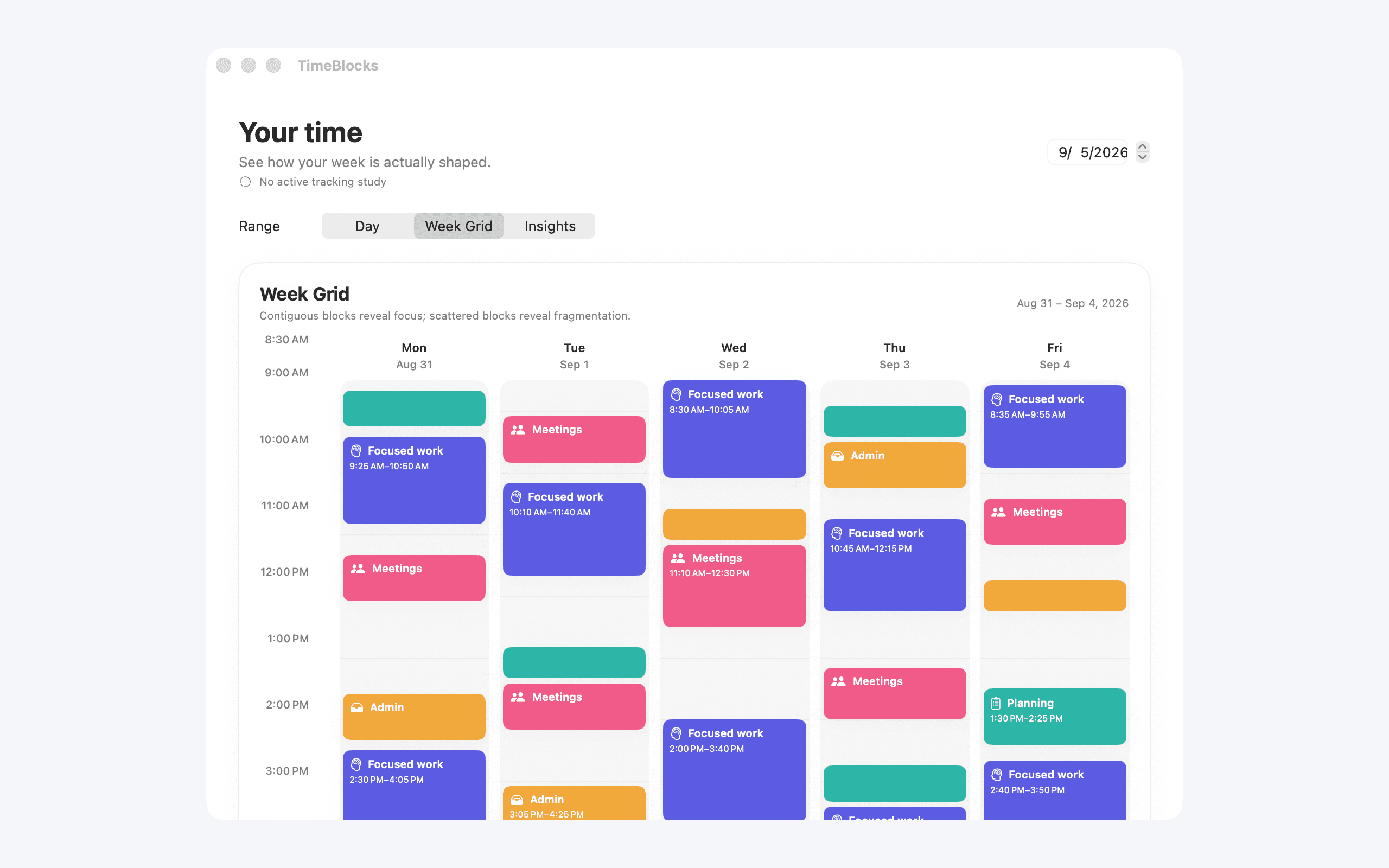
Your entries become a simple, colorful timeline that makes your day easy to review.
Review the patterns. Keep what serves your mission and make space where it doesn’t.
A snapshot, not a forever habit
TimeBlocks is built for focused studies with a clear beginning and end. Prompts run during the study. Capture a representative stretch of work, reflect on what it reveals, and return for another study when you need a fresh picture.
Made for real workdays
Study your time in the apps. Bring your team’s results together on the web. Team organizers set up studies, invite participants, and review shared results.

Example team study · Fictional data
September 14–27 · Priorities & capacity
What would we like to make more room for next week?
Built for you, not surveillance
Most time trackers are designed to prove you were working. TimeBlocks is designed to help you decide whether the work was worth your time.
WHAT IT NEVER DOES
WHAT IT GIVES YOU
No surveillance. No gotchas. Just an honest record you create to see whether your time is becoming the life and work you intend.
YOUR WEEK IS ALREADY TELLING A STORY.